
Zebite
One AI plan for the week, built around your pantry, your goals and your budget — so you shop only what's missing.


How it works
Stock it, set it, shop the gaps
Zebite plans a week of real meals around the food you already own, the numbers your body needs, and the money you have — then writes the grocery list itself.
Stock your pantry
Type what you have, or snap a receipt and let the AI read it in.
Set goal & budget
Your goal, diet and allergies, plus a ₱ budget for the plan.
Generate & shop
A week of real recipes, and a list holding only what's missing.
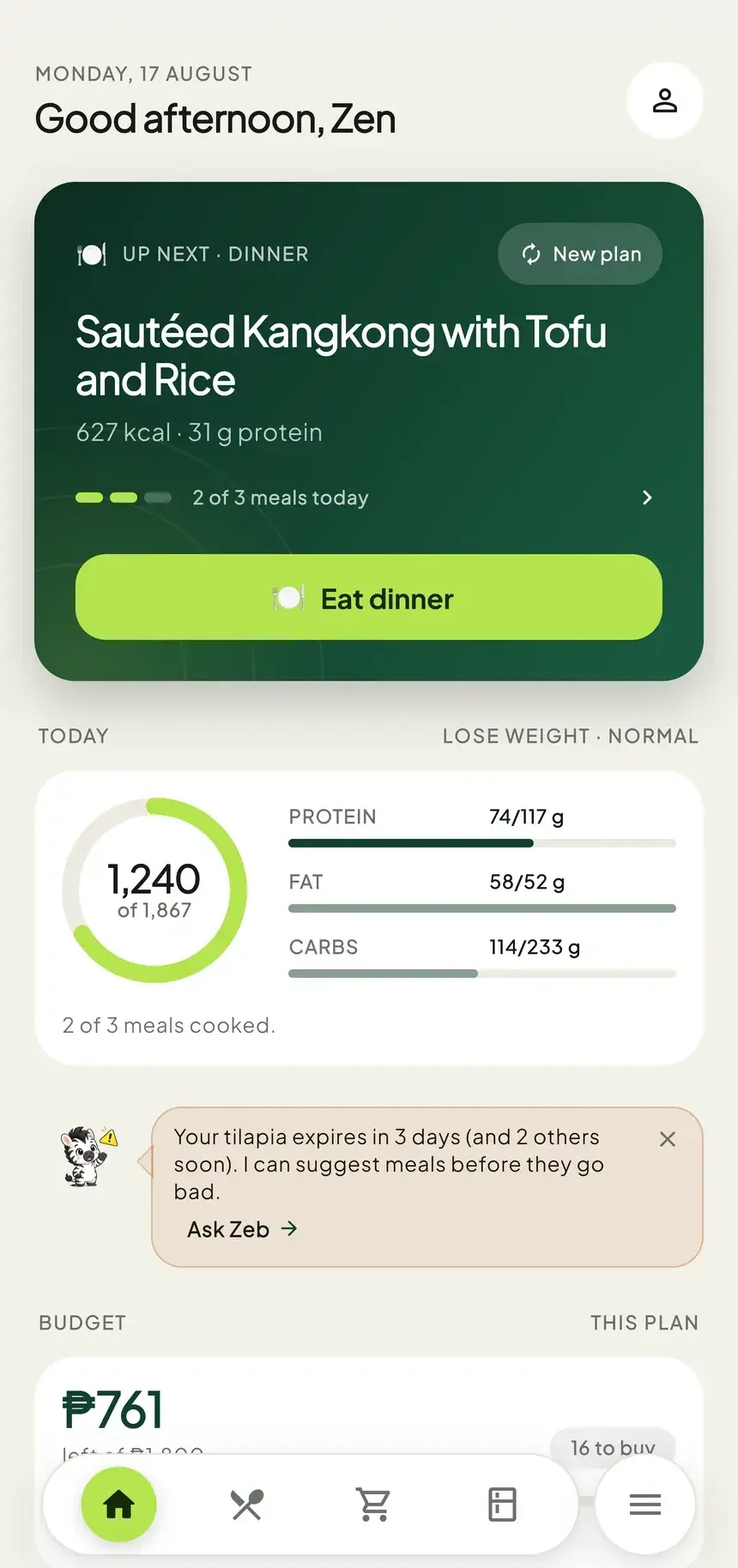
Plans that start in your pantry
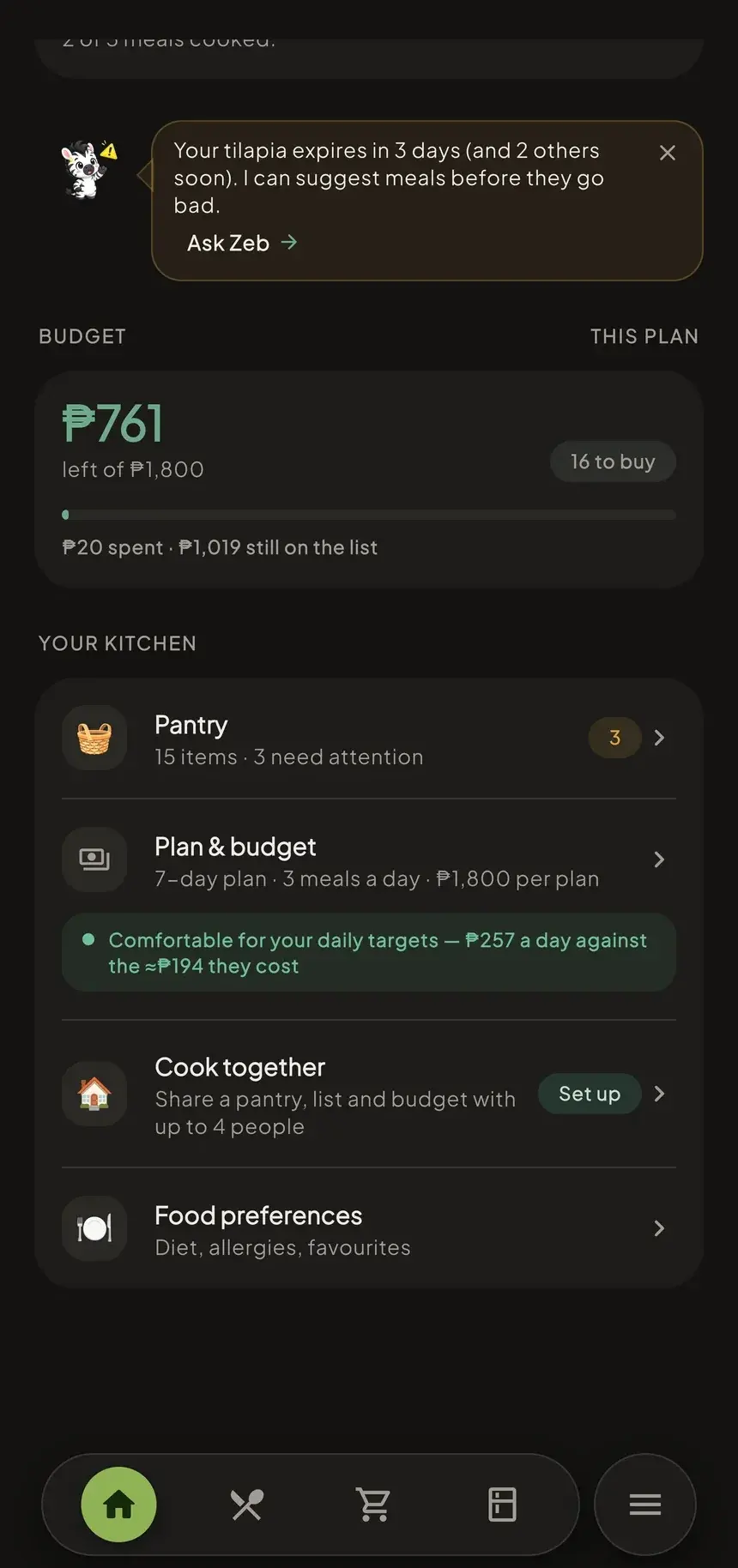
Every plan is built from what you already own, and leans on whatever expires first — so you buy less, cook what's there, and bin far less of it.
- Expiry tracking
- No duplicate buys
- Receipt & photo scan
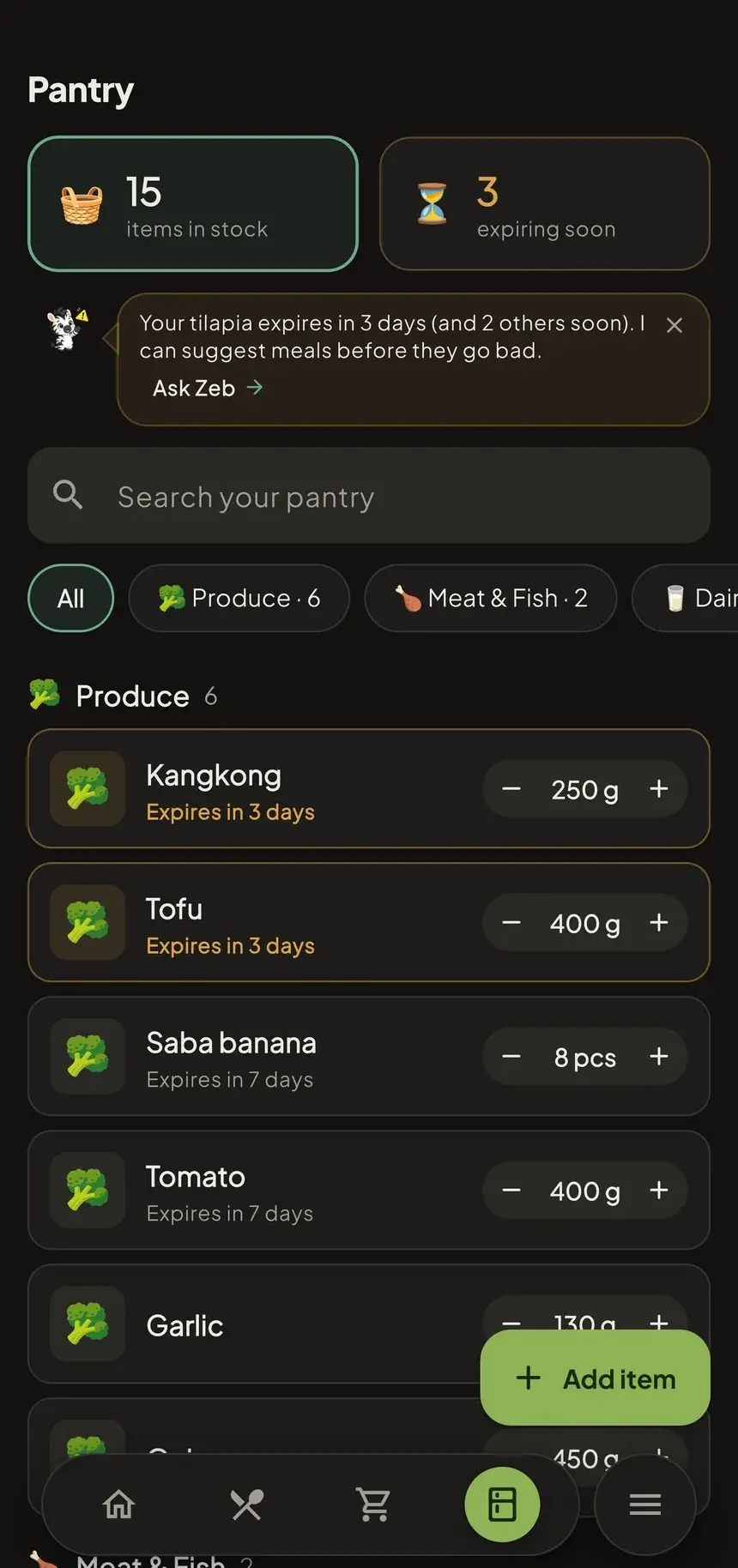
Meals that hit your numbers
Targets are computed from your body and goal — Mifflin-St Jeor, not a guess.
- 1,867 kcal
- 117 g protein
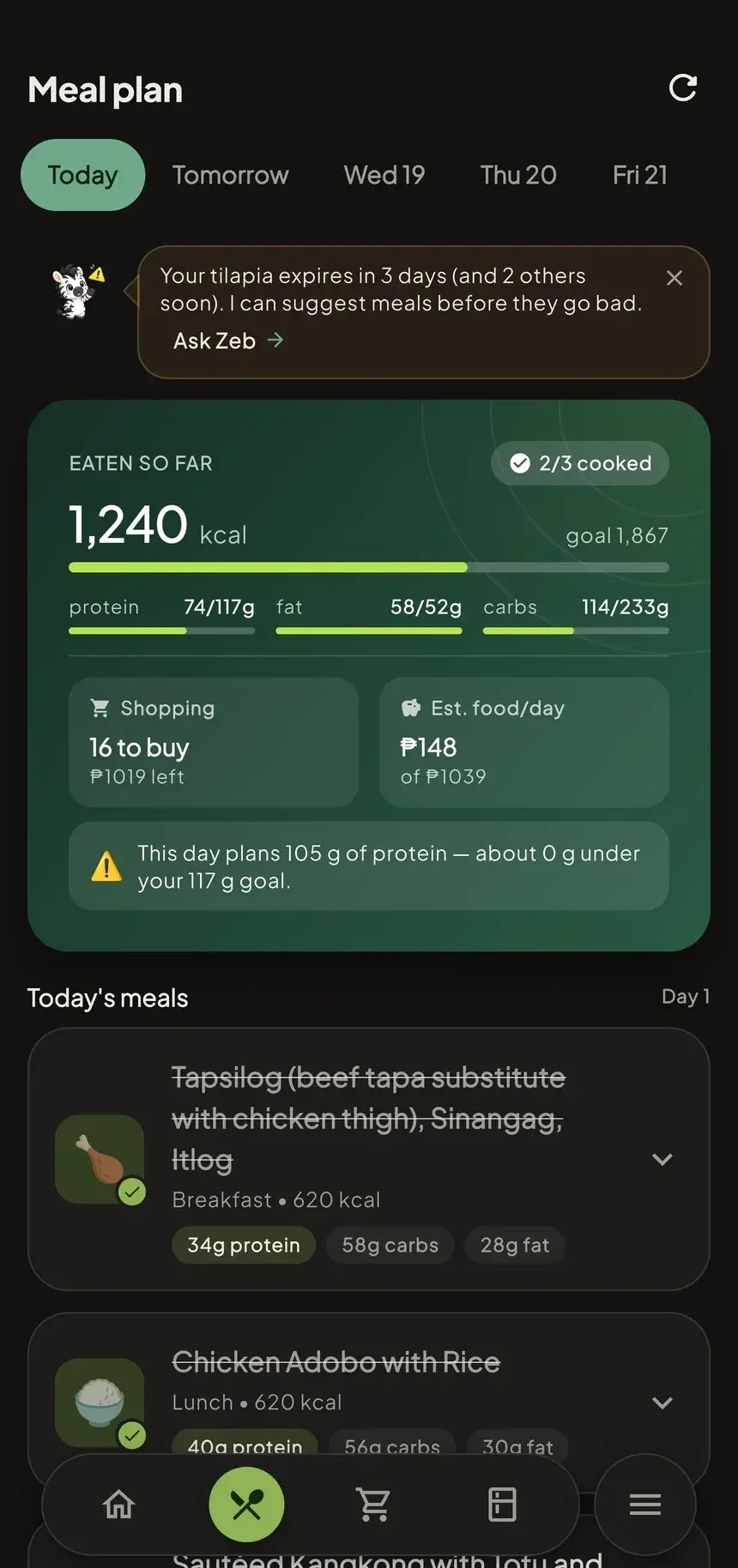
A list that stays in budget
It fills only what your pantry lacks, uses real local prices, and shows if you’re within your ₱ budget.
- Within budget
- Money-saving swaps
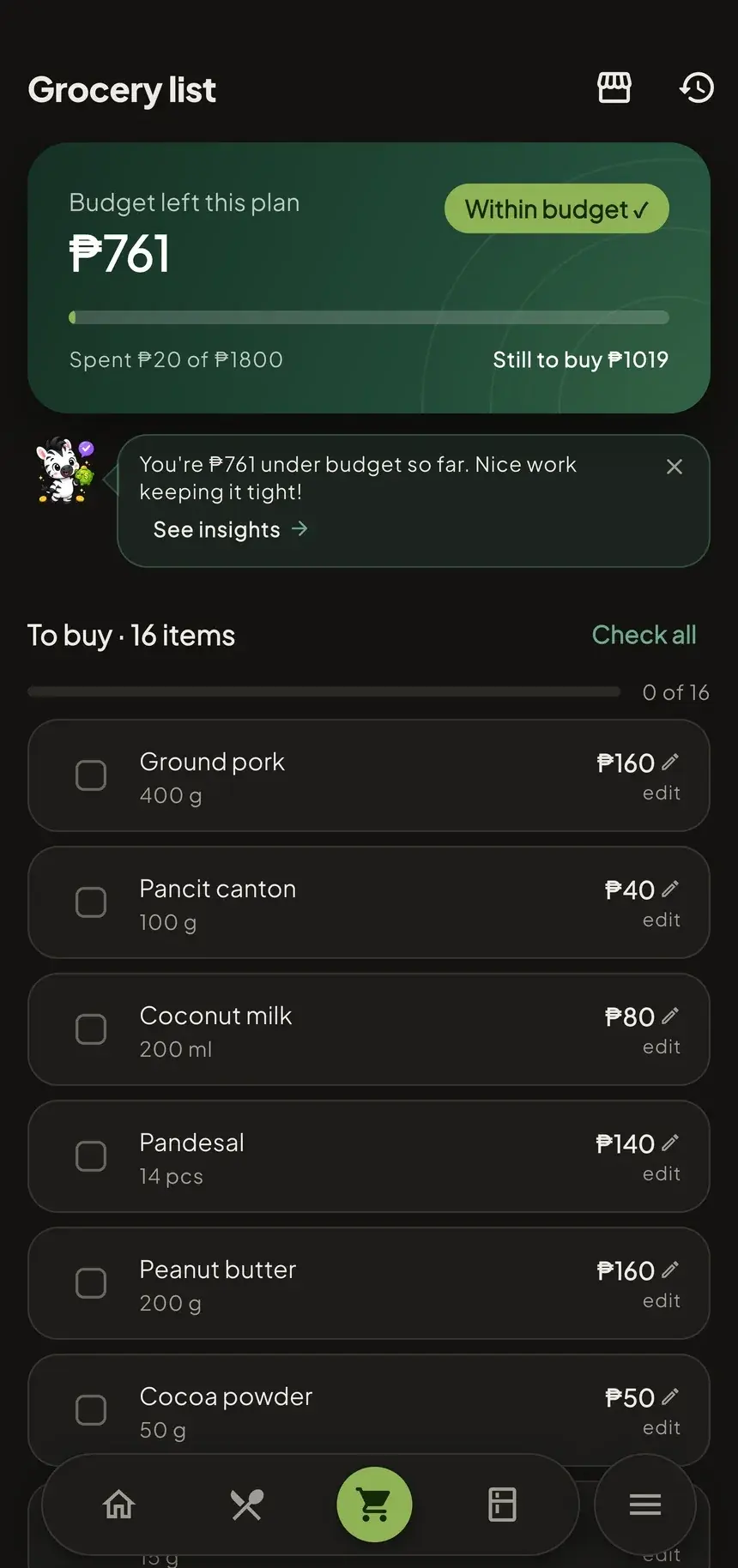
Stock it with a photo
Snap a receipt or your shelf and the AI reads the items straight into your pantry — logging the spend at the same time.
- Receipt scan
- Shelf & haul photos
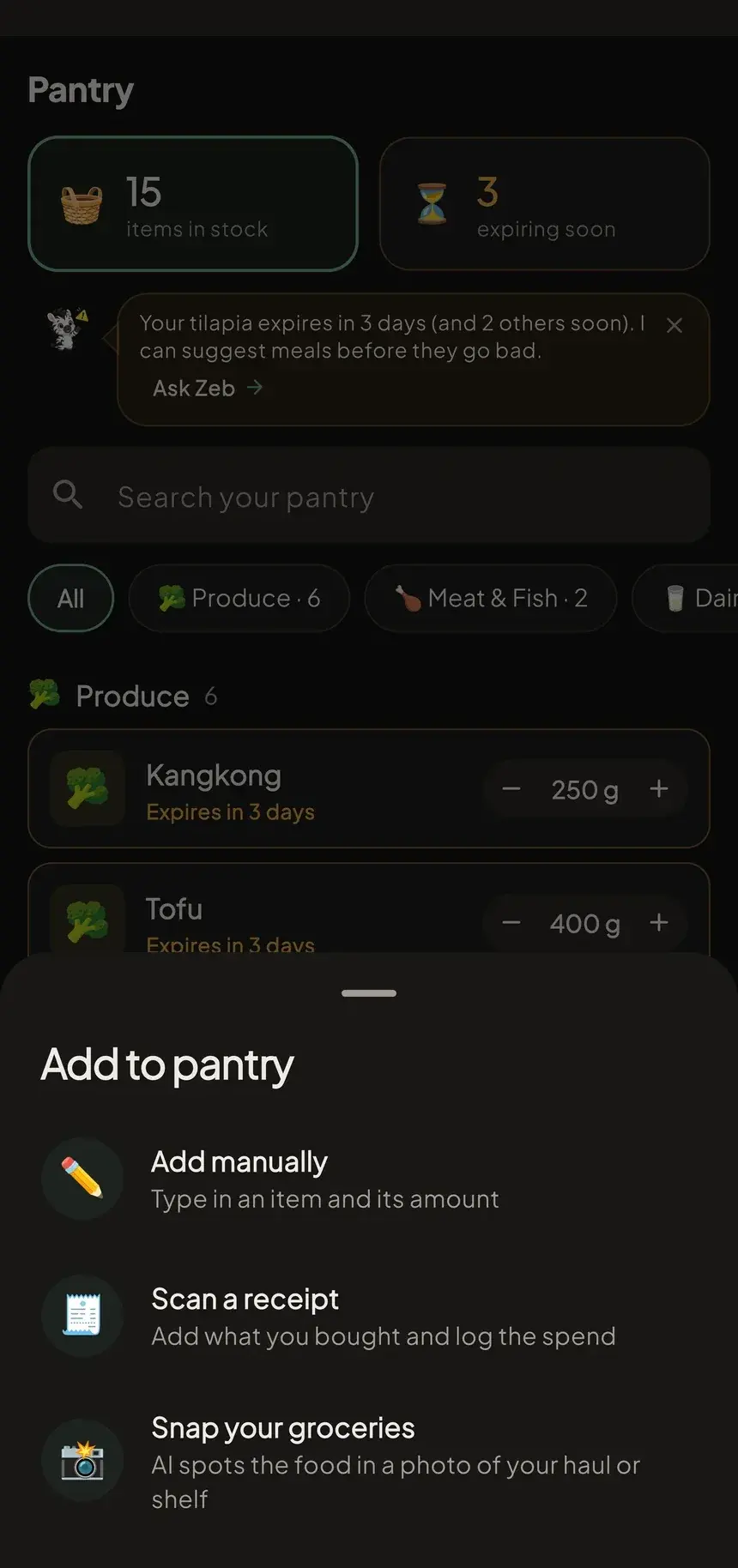
- Ask Zeb, anytimeHe reads your real pantry, plan and budget before he answers — and speaks up first when something's about to turn.
- See it workingSpend against budget week by week, macros against goal, meals cooked, and what's expiring first.
- Yours, everywhereOffline-first, synced across your devices, and built for light and dark from the first screen.
Family
One meal.
Everyone’s numbers.
Cook one dinner for the whole house. Zebite plans the week once, then sizes every plate to the person eating it — so nobody runs their own separate app, and nobody eyeballs their portion.
Portioned per person
- Zen lose weight618 kcal 37 g protein
- Mila maintain529 kcal 32 g protein
- Dad gain muscle695 kcal 42 g protein
- Kai 12 years old298 kcal 17 g protein
Same pot, four plates. Each one lands in that person’s own food log, against their own daily target.
What the family plan weighs
- Each person's calories
- Protein targets
- Goals
- Diet, allergies & favourites
- One household budget
- The shared pantry
Up to 5 people share one pantry, one grocery list and one budget. Kids and anyone without a phone can be added by hand so their portion is sized too — and health stays private: shared groceries, personal numbers.
Price intelligence
Prices that know where you shop
A kilo of rice isn’t one price. Zebite’s budgets ride on prices submitted by people shopping where you shop — so your list matches your palengke.
- Community-powered pricingAnonymized and pooled. No names, no receipts — just the price and the place.
- Sharper with every submissionConfidence climbs as prices come in, and stale ones quietly age out.
- Local, not nationalLuzon first, widening as coverage grows — a national average is nobody's actual grocery bill.
From the maker
Hey, I’m Zen

Every week it was the same.
“What should we eat?”
We’d spend more time deciding than actually cooking. Then we’d go grocery shopping without a plan, buy things we didn’t really need, forget what was already at home, and somehow still end up wondering what to cook a few days later.
That’s why I built Zebite.
It plans meals based on what’s already in your pantry, creates a grocery list for only what you need, and keeps everything within your budget.
I’m building it solo, starting with the Philippines, because these are problems I deal with too.
If you’ve ever spent 20 minutes deciding what to eat, Zebite is for you.
Social proof
What it feels like to plan ahead
Deciding what to cook every night used to be the worst part of my day, honestly. Now I just open it and the week's already sorted — I only have to cook. My partner thinks I suddenly got organized 😂
Living alone I used to buy way more than I needed and toss half of it by the weekend. First time in months I've actually finished a grocery haul before it went bad.
Honestly the part I didn't expect to like is it telling me what's already in the fridge before I add stuff. Caught me almost buying garlic for the third time lol.
I used to just eyeball my protein and hope for the best. Didn't think an app could actually keep me near my numbers without the grocery bill going up too.
The receipt scan is the reason I actually use this over just texting myself a list. Take a pic after the palengke and it's already in the app.
Pricing
Start free — upgrade when it pays for itself
Everything you need to start.
- 3 AI meal plans/week
- 3-day plans
- 1 receipt scan
- 1 grocery photo scan
- 3 nutrition estimates
- 5 Ask Zeb/day
For personal meal planning
- 4 AI meal plans/day
- 7-day plans
- 6 receipt scans/day
- 15 nutrition estimates/day
- 40 Ask Zeb/day
- Personal pantry
For your whole household
- 10 AI meal plans/day
- 7-day plans
- 10 receipt scans/day
- 40 nutrition estimates/day
- 100 Ask Zeb/day
- Family Kitchen — up to 5 people
- Shared pantry
Illustrative pricing in Philippine peso (₱), easy to edit. Receipt scanning and community prices are live in the app today.
FAQ
Good questions

Early access
Eat better · Spend less · Waste nothing
Zebite is in closed testing on Google Play — a small group using it for real weeks before the public release. Email me and I’ll add you to the tester list.
zebite@zhevion.com — tell me the Google account you use on Play and I’ll send the opt-in link.